your ownmail
Email on your own server and your own domain, in the browser and in the mail app you already use.
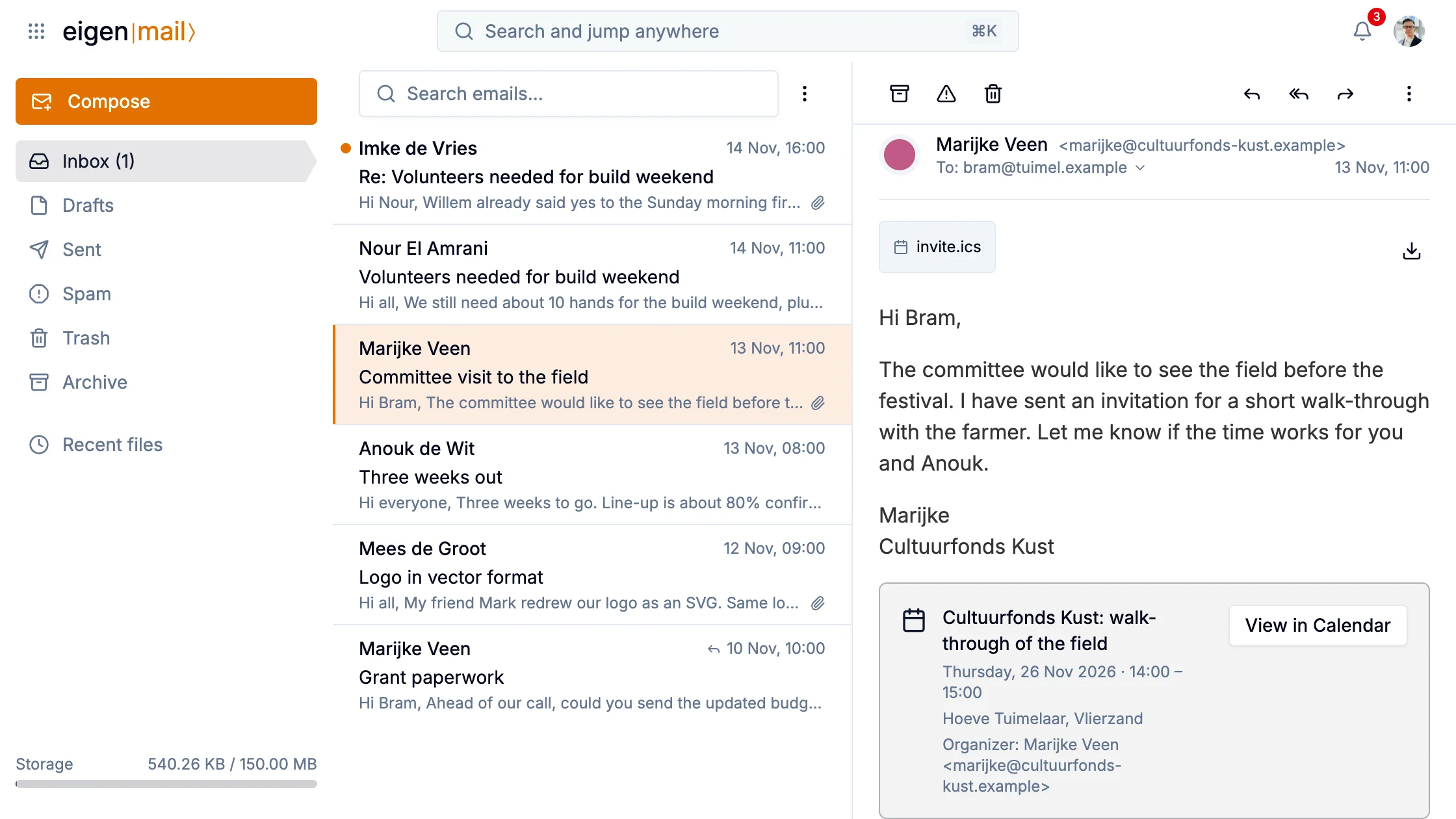
eigen|mail⟩ is your email in Eigen. You read, write and organize messages in the browser: your mailboxes on the left, the list in the middle, the open message on the right. It is ordinary mail on your own server, so the mail app on your phone can read it too.
Reading and replying
A reply quotes the message it answers, so the last mail in a thread carries the whole conversation. Saar's thread with the generator hire reads that way: his quote, her question whether the backup can run the second stage alone, and his yes.
Pictures a message loads from the internet stay hidden until you click Load images, so a sender can't tell when you read it. Reply, Reply all and Forward only open a draft: nothing goes out until you click Send.
The sidebar holds six mailboxes, with any folders you made in another mail app below them.
Attachments land in Drive
The generator quote came as an Excel file. Saar turned it into a sheet in the team drive, and from then on the crew works in that one sheet.
Click an attachment to preview it. A contact file reads as its cards and a calendar file as its events. From there you save it to a folder in Drive, or turn an .xlsx into a sheet, a .docx into a document or a .pptx into slides, and the copy opens straight away.
It works the other way too. Attach a file from Drive, and a document goes as a link rather than a copy. If someone on the email can't open it, Mail asks whether to share it before it sends.
Finding mail
The box above the list filters the folder you're in, by sender, recipients, subject and text. The search at the top of the window looks through all your mail at once, and from: and to: narrow it to a person.
An invitation from someone's calendar shows as a card in the message, with a button that opens it in Calendar. The culture fund invited Bram to walk the field that way.
In the mail app on your phone
Your mailbox speaks IMAP and SMTP, so Thunderbird, Apple Mail or another mail app can read and send from it, beside the browser or instead of it. That includes the apps on your phone. Each app gets its own app password, which you can revoke without touching your main one.