your owndrive
Your files and your team's on your own server, with previews, sharing, activity and versions, and a folder on your computer.
eigen|drive⟩ is where your files live in Eigen. You upload files, make folders, and start documents, sheets, decks, drawings, boards and chats from the New button. Everything is private to you until you share it.
Folders and previews
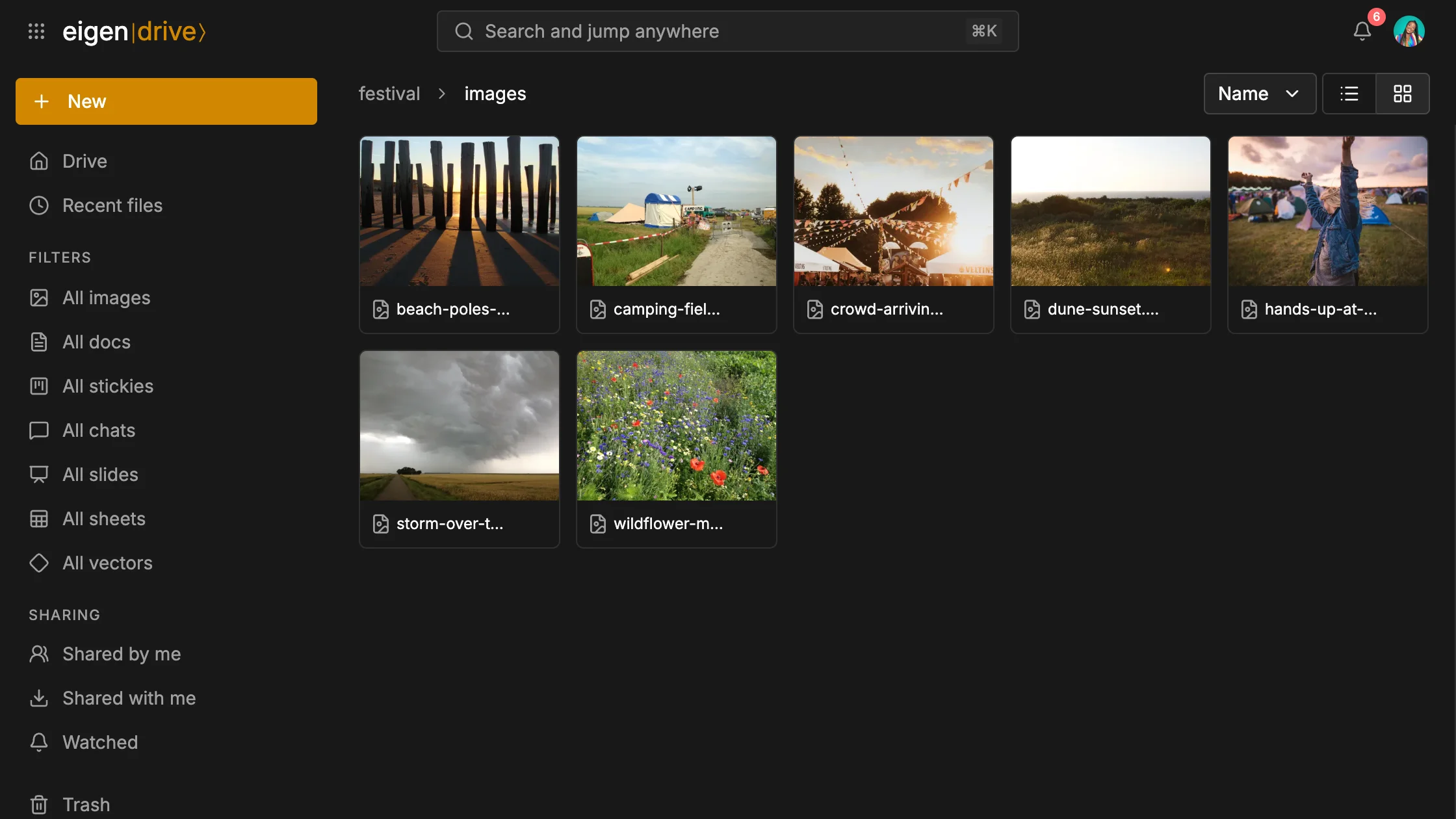
Show a folder as a list or as tiles with thumbnails, sorted by name, size or date. A document, sheet or deck opens in its own editor.
Other files open in a preview: images, PDFs, video, audio and text. A contact file reads as its cards, a calendar file as its events and a saved mail as its message.
Space opens a quick look without leaving the list, and the arrow keys move to the next file. That is how Saar pages through the photos of the field.
An Excel, Word or PowerPoint file someone sent you turns into a sheet, a document or a deck from the preview. Then you work on it with the others.
Sharing
Share a file or a folder with people, a team or a link, as an Editor or a Viewer. The local paper asked Mees for the press release draft. He can add the reporter as a Viewer, so she reads it and only the crew writes in it.
Email collaborators writes to everyone on the list with a link to the file. An owner can turn off Editors can share, so nobody else hands it on.
A team has a drive of its own, beside yours. The festival crew keeps its production plan, its budget and its site photos there, and whoever joins the team finds them waiting.
What happened to it
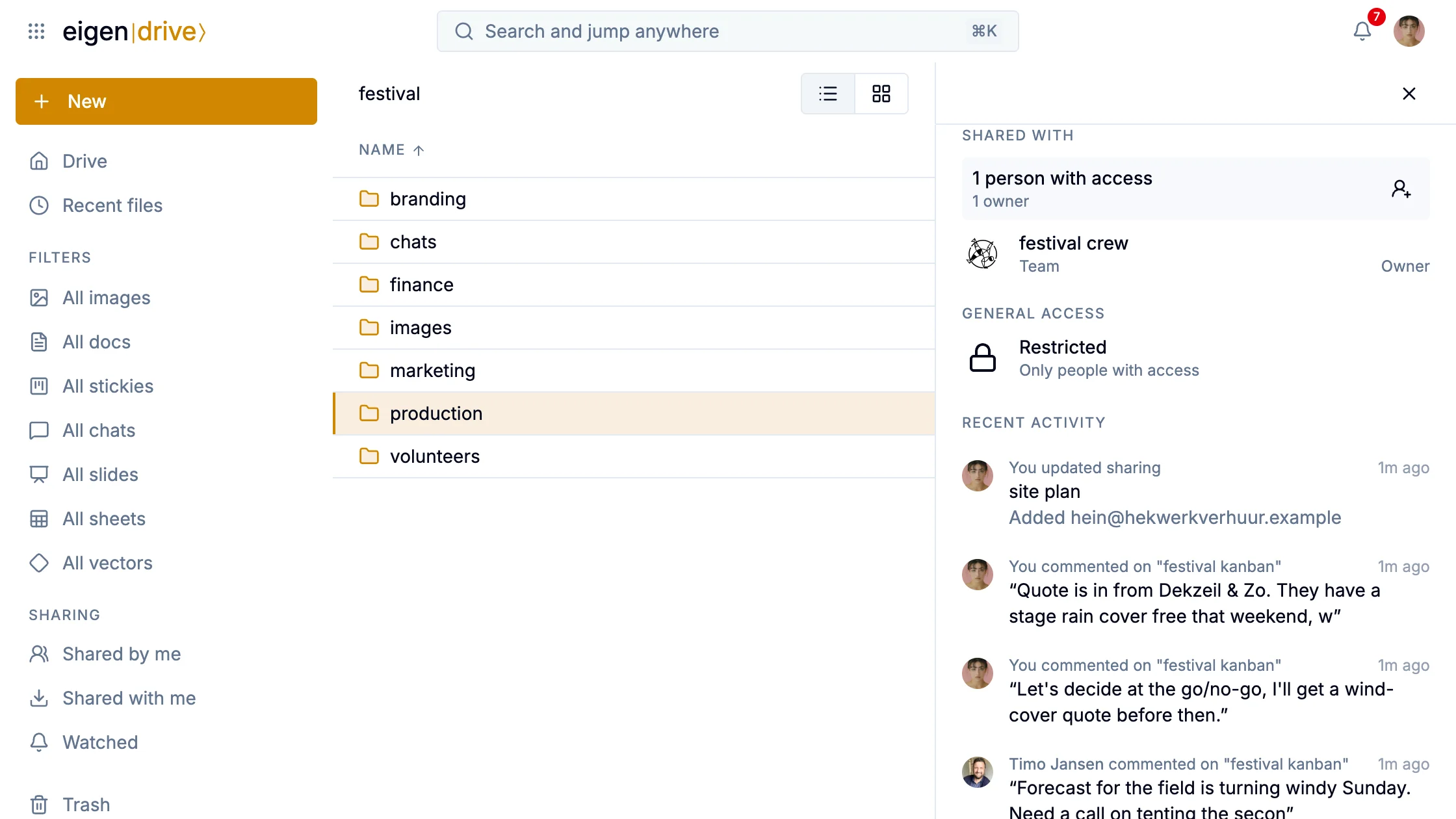
Select a file or folder and the panel beside the list shows its last five events: who uploaded, edited, moved, shared or commented. For a folder that covers everything inside it. One click on the production folder tells Saar what the crew last did there.
Watch a file or folder and you hear when someone else changes it.
Documents, sheets, decks, boards and drawings keep versions you can restore, hourly at first and thinning out to monthly for a year. Deleted files wait in the Trash.
A folder on your computer
Drive speaks WebDAV, so Finder or File Explorer mounts it like a network drive, signed in with an app password. rclone and Mountain Duck work too, and rclone makes backups.