your ownvector
A whiteboard for drawings and diagrams, with arrows that stay attached and a hand-drawn look, on your own server.
eigen|vector⟩ is where you make drawings and diagrams in Eigen. It is a whiteboard on an infinite canvas: boxes, arrows, freehand lines, text and images, with no page edge to bump into. It is heavily inspired by Excalidraw, but not a fork.
Arrows that stay attached
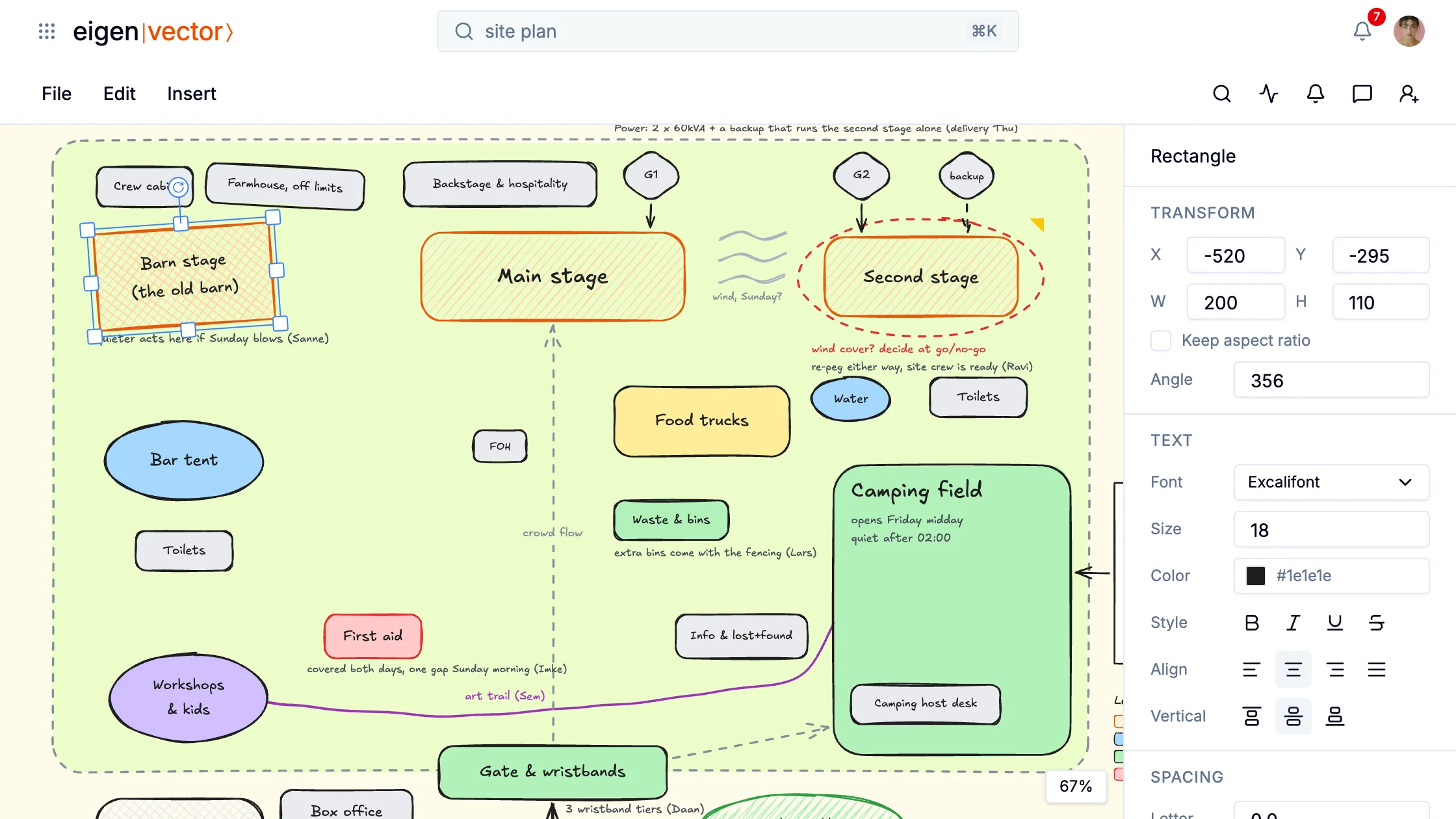
Start an arrow on one shape and end it on another, and it docks to both. Move, resize or rotate a shape, and the arrow follows. An arrow can be straight, curved or an elbow that routes around shapes at right angles, and it can carry a label.
The festival's site plan is such a drawing. A power line runs from the generator to the main stage, and the crowd flow from the gate ends there too. When Saar moves the stage, both come along, so the plan stays right while it is still a draft.
The hand-drawn look
Everything is drawn with a slightly wobbly line, as if by hand. Fills can be hatched. The sketch style goes from Architect, which is clean, to Cartoonist, the roughest.
From a sheet to a drawing
A chart does not have to stay in its sheet. Copy a chart in eigen|sheets⟩ and paste it on a drawing, and it stays a chart you can edit, with the numbers it showed.
Give it the hand-drawn look and font, then Convert to shapes splits it into slices and labels you move one by one. An arrow docked on a slice moves with it. Saar does this with the budget's income pie: she pulls out the ticket sales and points a box at them that says "our biggest share".
Moving around
You pan by scrolling and zoom from 10% to 3000%. ⌘F finds text anywhere on the canvas, also in the parts you scrolled away from.
Sharing and export
You share a drawing with people, a team or a link. Everyone with edit access draws on the same canvas at the same time, and you see where the others are working.
A comment goes on a single shape or on the drawing as a whole, with a thread under it. A drawing downloads as an SVG image or a PDF, cropped to what you drew.